Online ordering
Start taking orders online
Open Settings → Online ordering. Check the Page address, tap Save address, then switch Online ordering on. Share the link or print the QR.
Online orders arrive just like kiosk orders: on the kitchen screen, on the till and on the order status screen.
Switch it on
-
In the back office, open Settings, then Online ordering.
-
Look at Page address. It starts as your restaurant’s name, like olive-tree-grill. Change it if you like, then tap Save address. Choose it well: your QR codes use it.
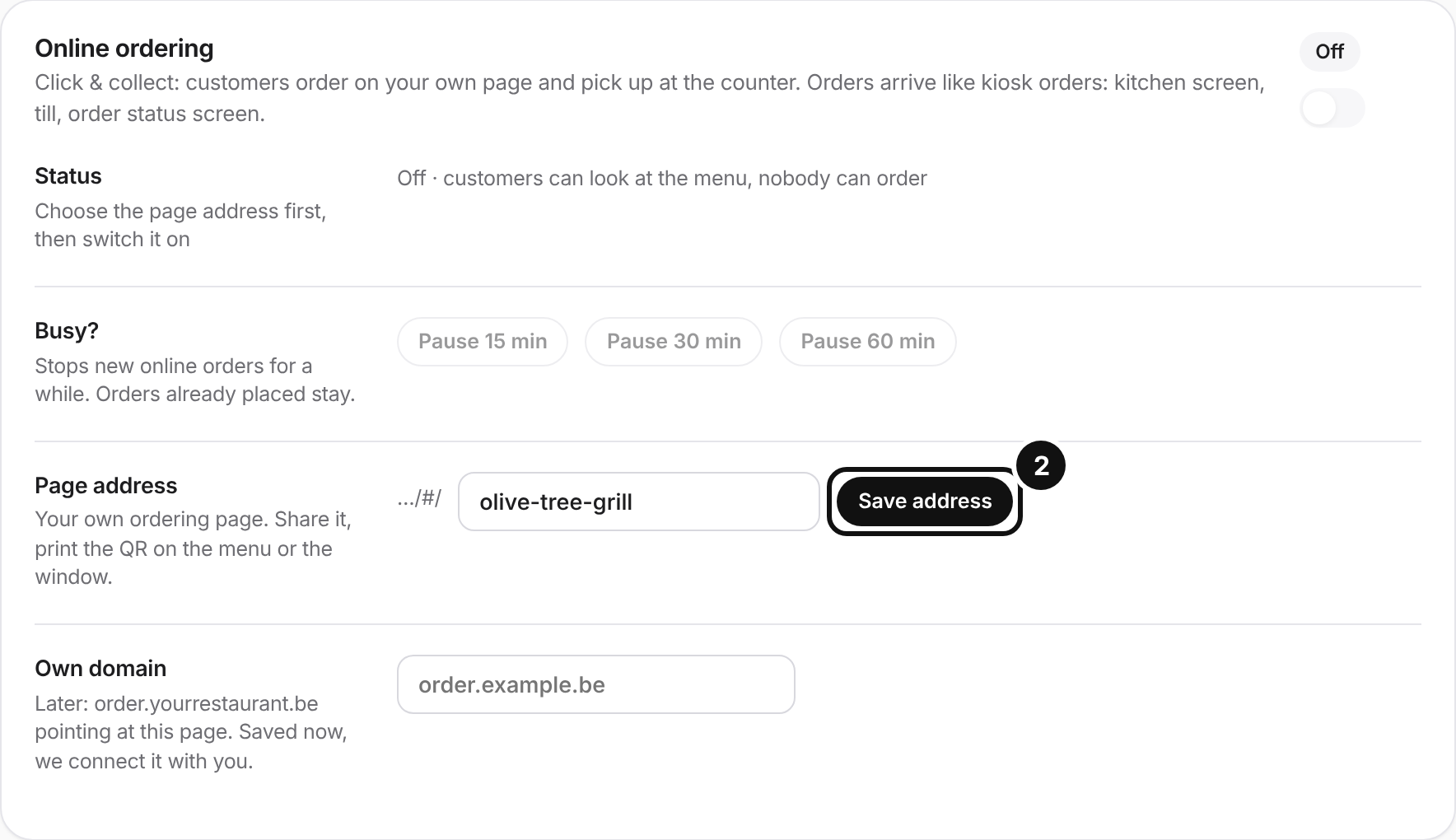
-
Tap the switch next to Online ordering.
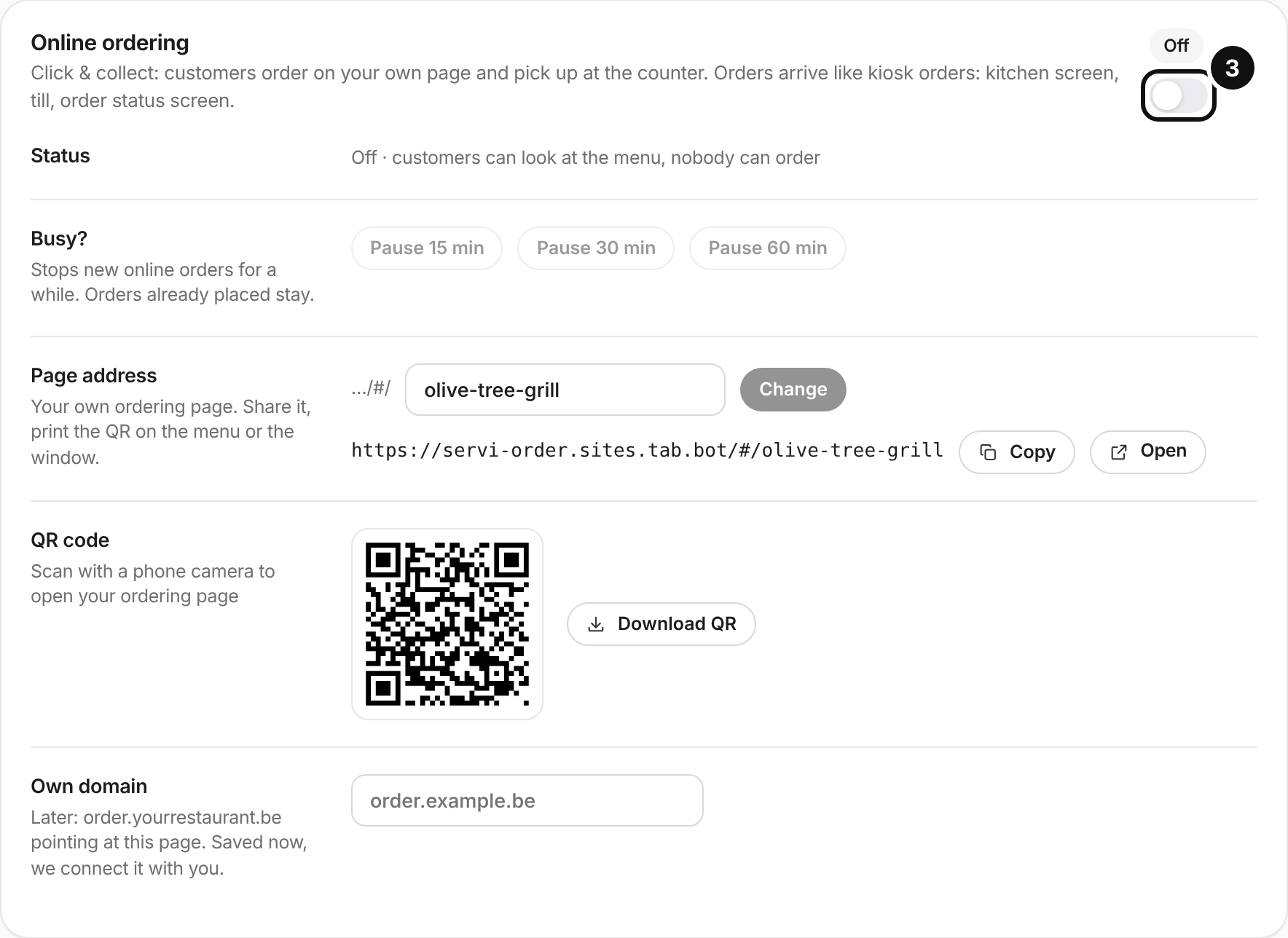
-
The status turns to On · taking click & collect orders. Your link and its QR code appear.
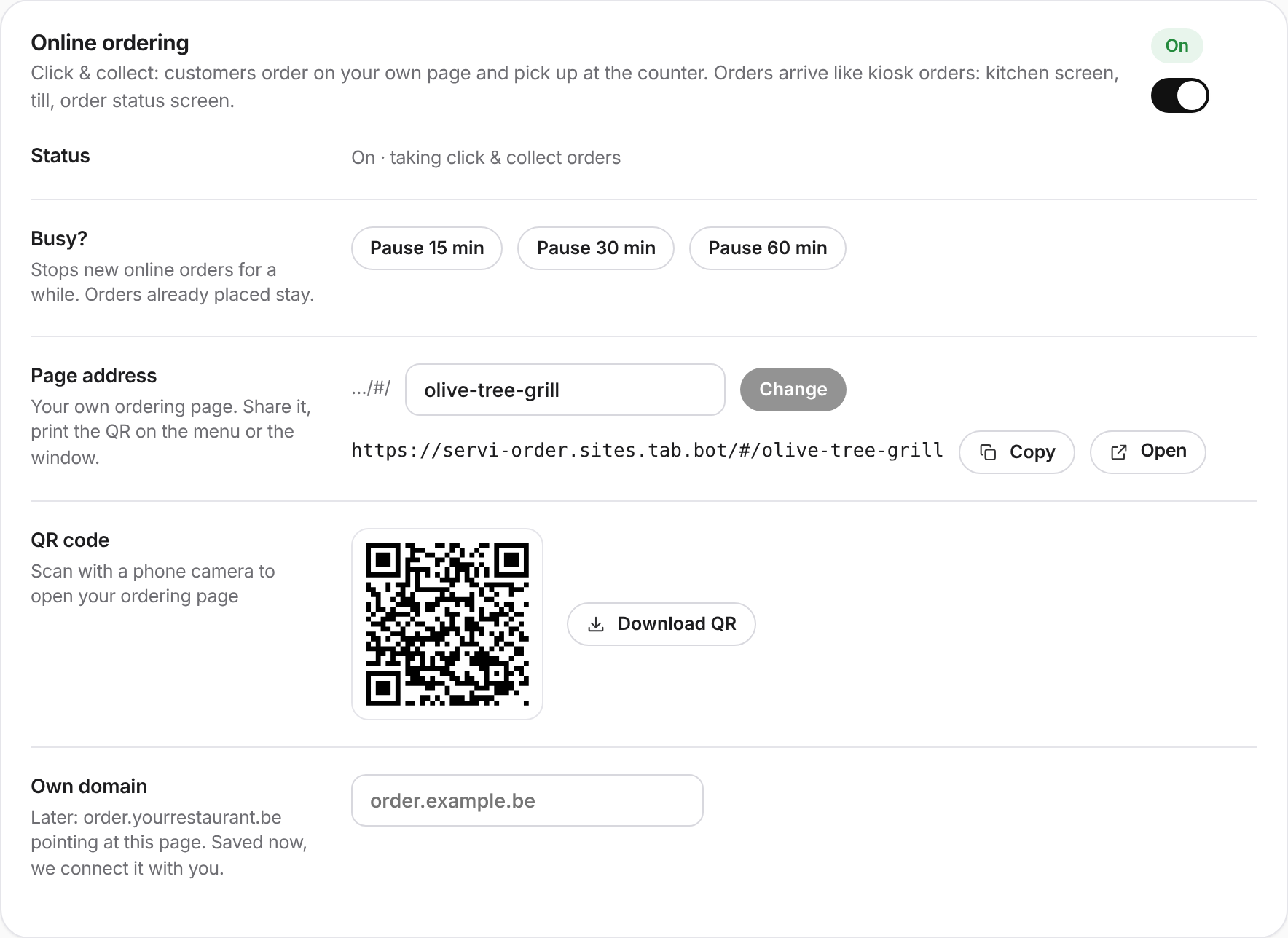
-
Tap Copy to copy your link, Open to see your page, or Download QR to print the code on your menu or window.
What it starts with
| Setting | Starts as |
|---|---|
| Online ordering | Off |
| As soon as possible | On, earliest pickup 20 min after ordering |
| Choose a time (pickup later today) | On, a time every 15 min |
| Orders per time slot | 6 |
| Pay at pickup | On, up to €150 |
| Pay online | Off until SumUp is connected |
| Minimum order | €0 (no minimum) |
| Group orders | Off |