Shop mode (retail)
Import products from a spreadsheet
Shop → Products → Import: download the template, fill it in, upload it, tap Check, then Import.
-
Go to Shop → Products → Import and tap Download template (.xlsx). One row is one product (or one size or colour of it).
-
Fill in at least the name and the price. Add the barcode, the item code (PLU) for weighed products, VAT, category and stock if you have them.
-
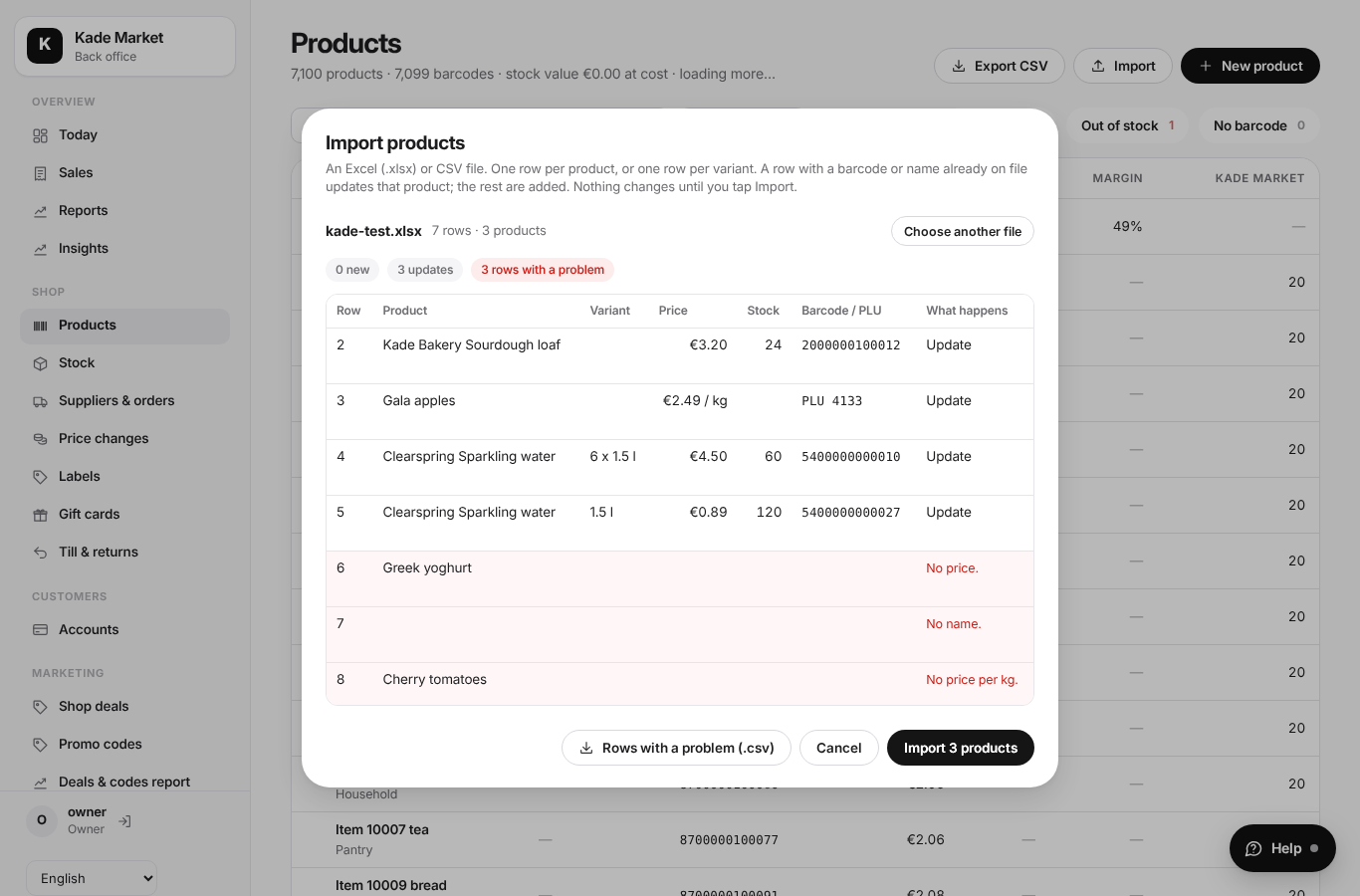
Upload the file and tap Check. The preview marks each row New or Update and shows problems, like a barcode with a wrong check digit, No price. or No name.
-
Fix the file and check again, or tap Import to add the rows that are fine. Importing the same file twice updates the same products: it doesn’t make copies.