Shop mode (retail)
Reports by supplier, department, ABC and stock cover
Turn on More reports, then open Reports and pick Suppliers, Departments, ABC or Stock cover.
-
In the back office, go to Shop → Till & returns. Under Back office tools, turn on More reports. It’s off until you turn it on. The Departments tab needs Departments on.
-
Open Reports, choose the dates (7, 30, 90 days or your own), and a tab:
- Suppliers: sales, share and margin per supplier.
- Departments: sales and margin per department, with its target margin. Tap a department to see its categories.
-
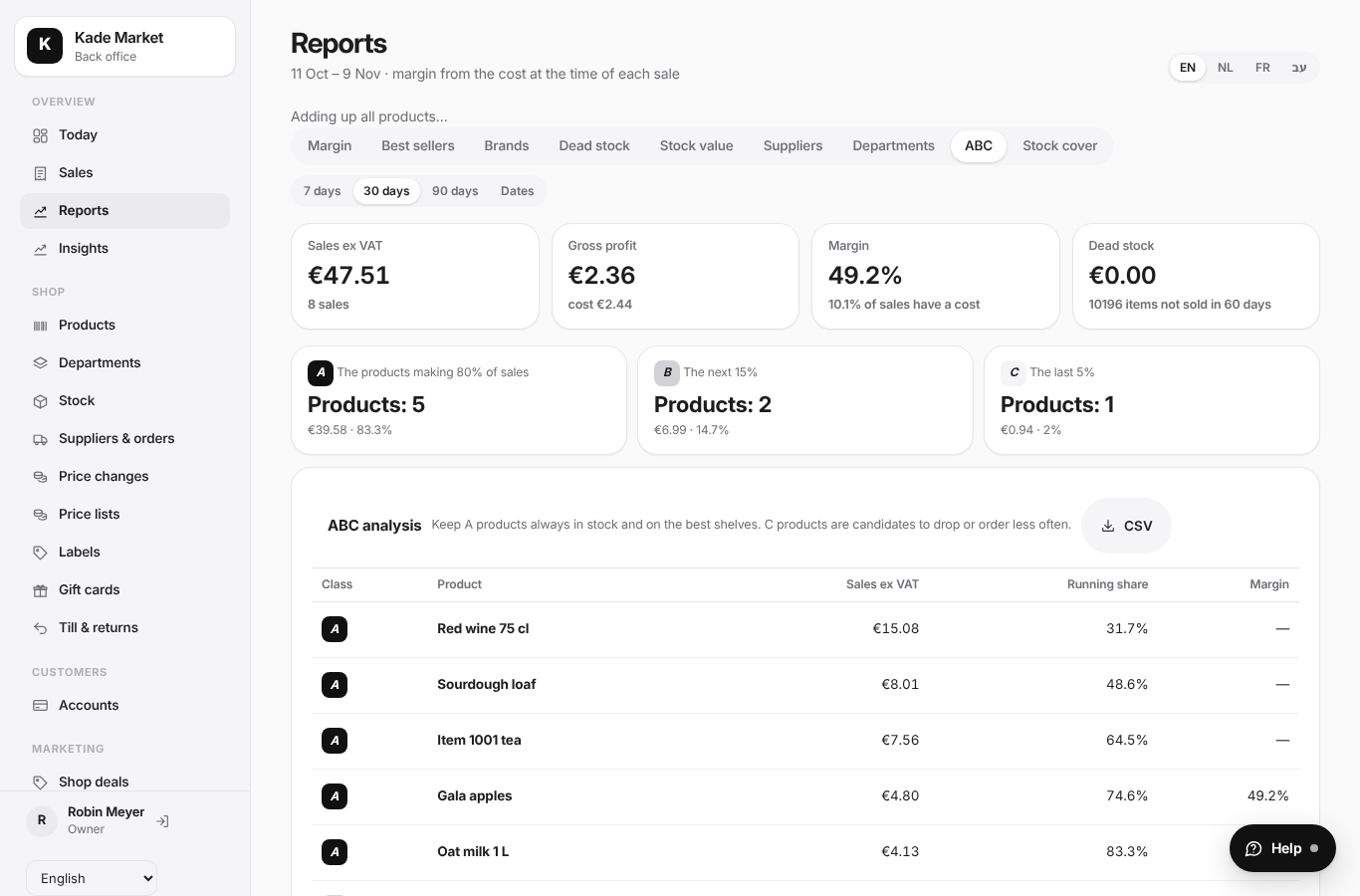
ABC: A products make 80% of your sales, B the next 15%, C the last 5%. Keep A always in stock; C are the ones to drop or order less.
-
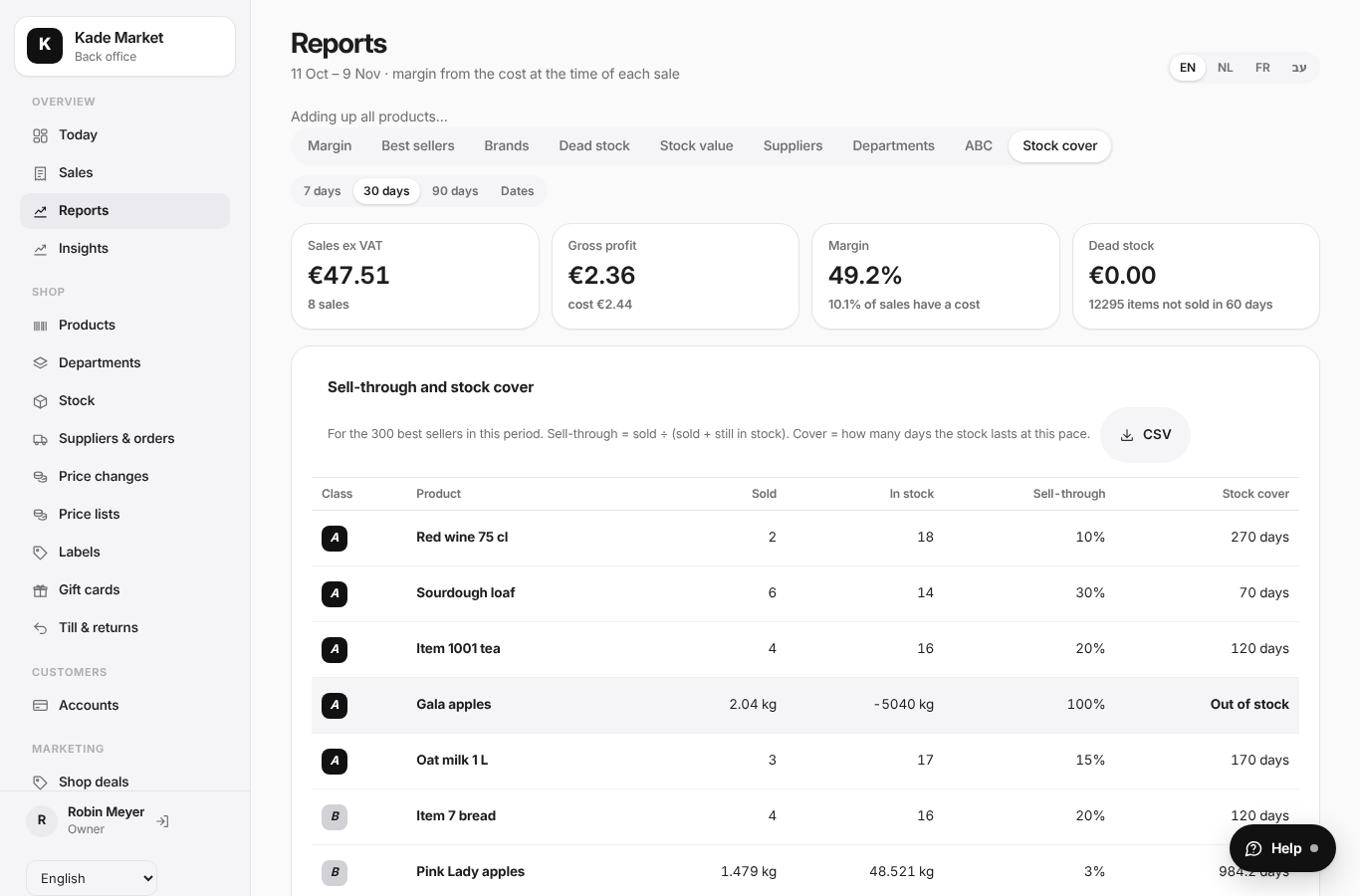
Stock cover: for the 300 best sellers, the Sell-through (sold ÷ sold + still in stock) and how many days the stock lasts at this pace.