Reports & forecasts
Know what to prep today
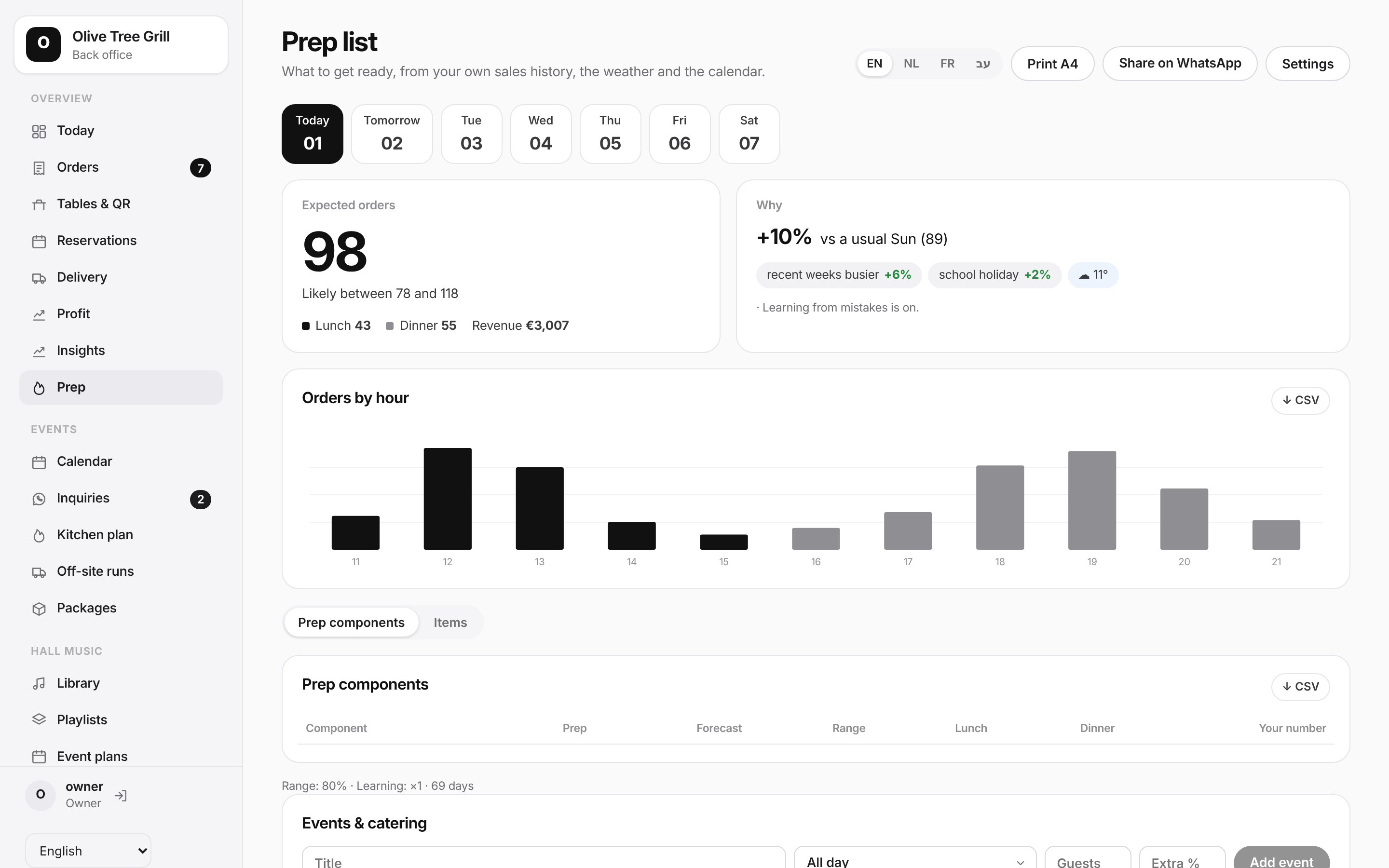
-
Open Prep in the side menu.
-
Pick a day at the top: Today, Tomorrow or a day this week.
-
Read Expected orders, the likely range, and the lunch and dinner split. Why lists what pushes the number up or down, like the weather or recent weeks.
-
Scroll to the list. Each dish (or Prep components, like a sauce) has a number to prep, a range, and lunch and dinner.
-
Disagree? Type Your number in that row. Every change is kept in a log.
-
Tap Print A4 for the kitchen wall, or Share on WhatsApp to send it as text.
Add a booking or event
Under Events & catering, tap Add event. Type a name, pick Lunch, Dinner or All day, the number of guests and how much extra (Extra %). The forecast adds it.
Prep components
Prep a sauce or a tray of salad, not a dish? Tap Settings → Add component. Give it a unit, Prep in steps of (like a bag or a tray) and how much each dish uses under Used in. The list then shows the components too.
Every setting
Tap Settings on the Prep page.
| Setting | Starts as |
|---|---|
| Location (for the weather) | Empty: no weather until you set it |
| School holidays region | None |
| Prep to | The expected number |
| Hide items under … per day | 1 |
| Learning (from mistakes) | On |