Till
Refund or void an order
On the till, open Orders, tap the order, tap Void / refund, pick a reason and confirm. If your role needs approval, a manager types their PIN.
Void or refund
-
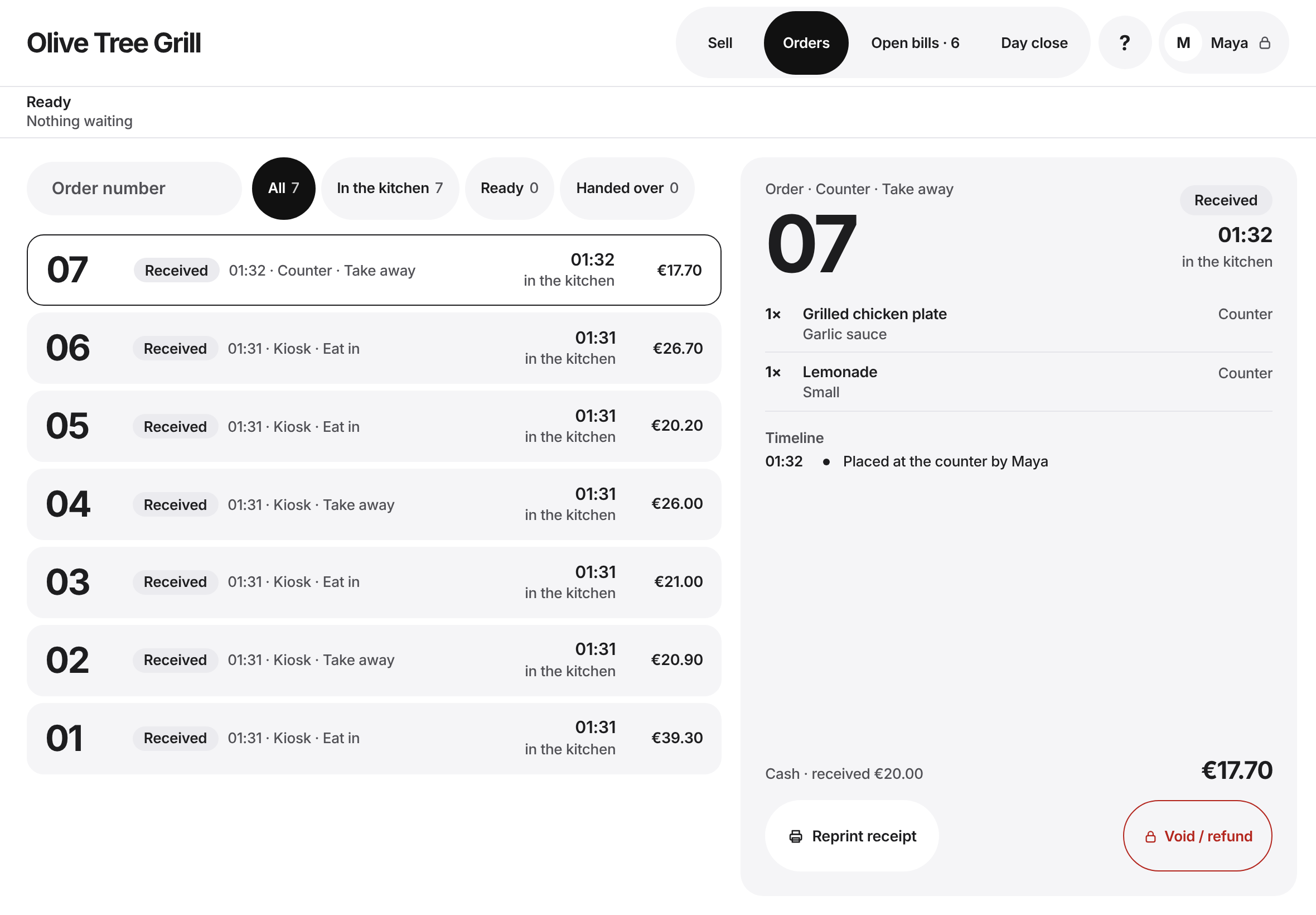
Tap Orders at the top. Find the order by its number.
-
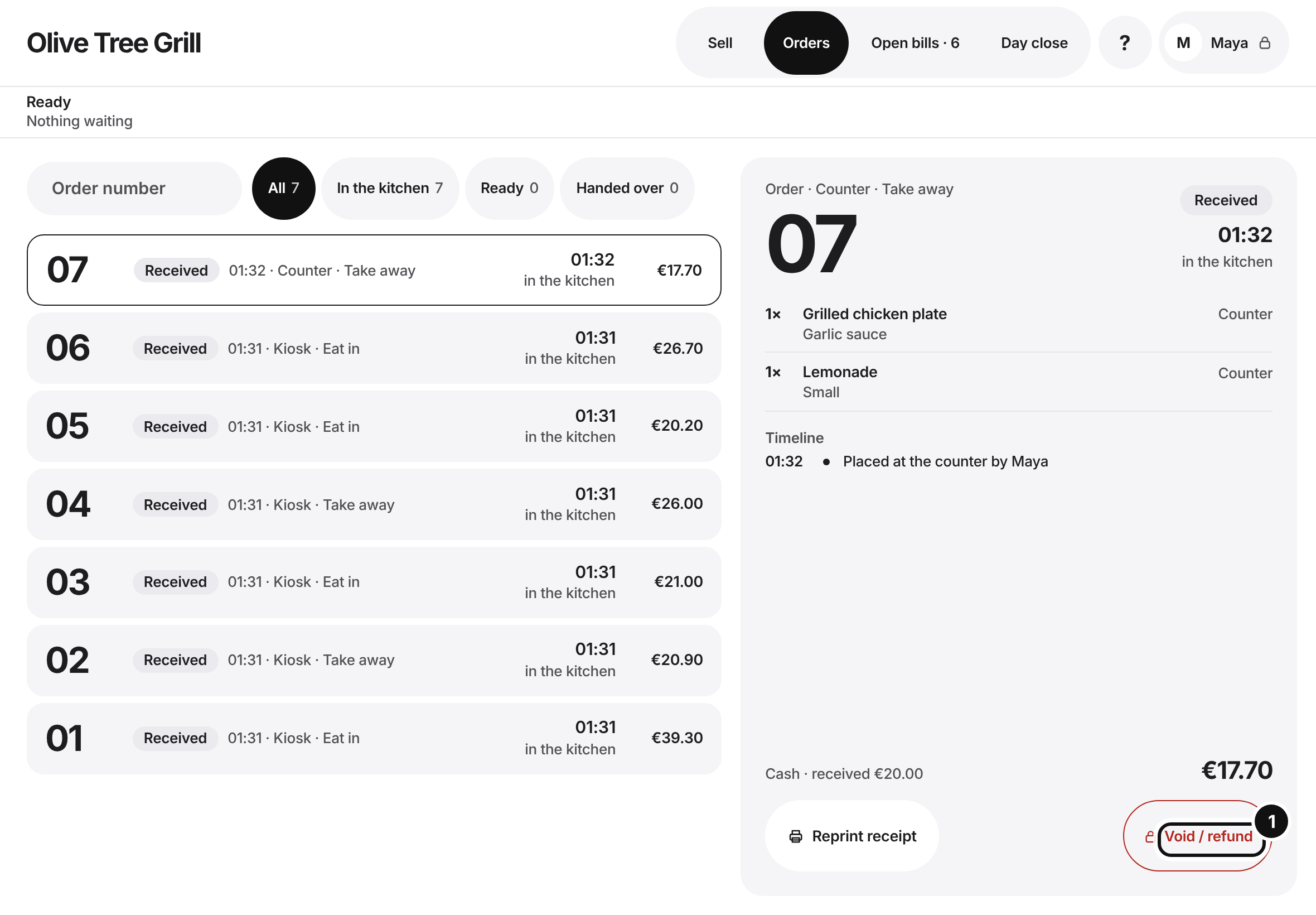
Tap the order. Tap Void / refund.
-
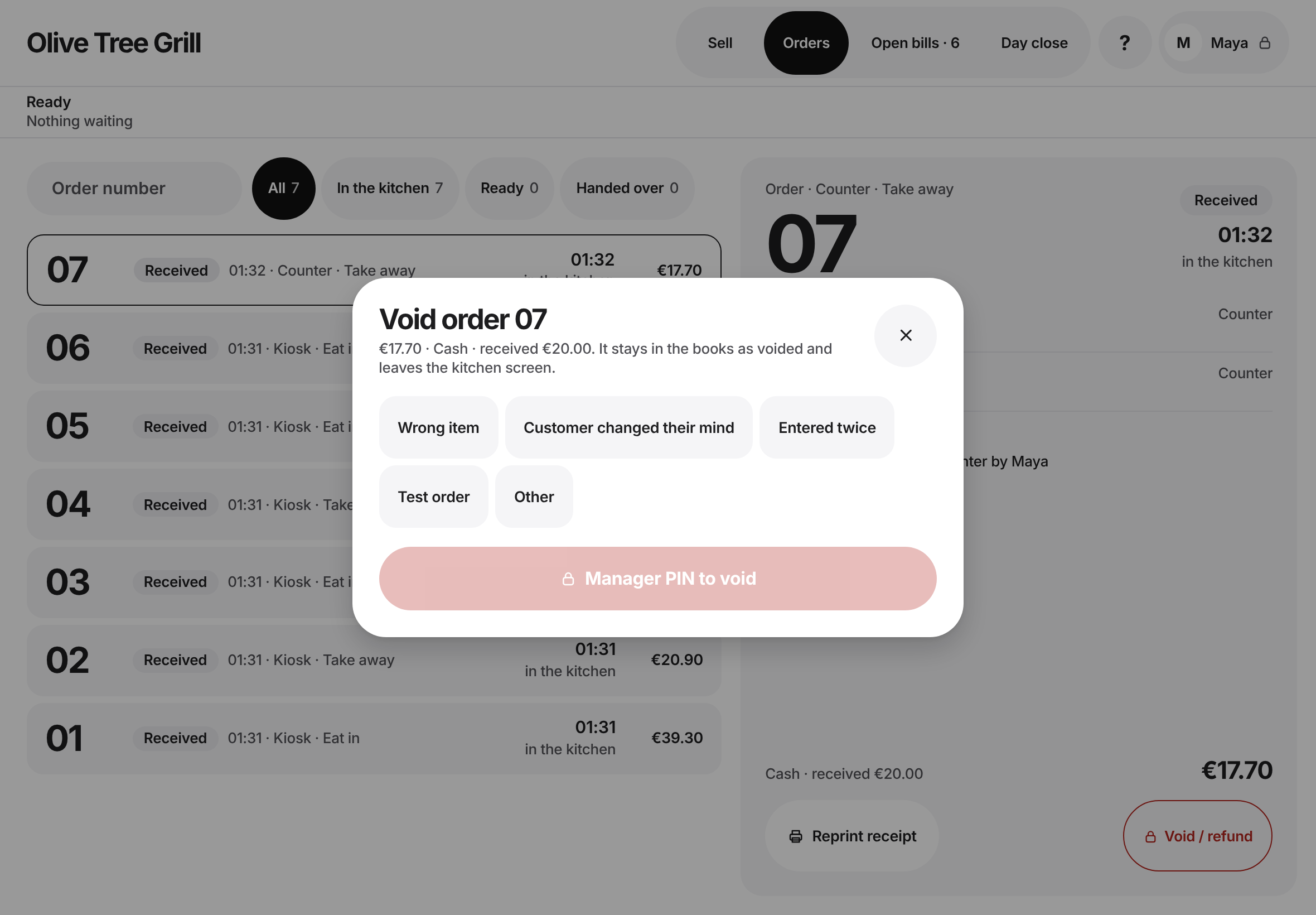
Pick a reason: Wrong item, Customer changed their mind, Entered twice, Test order or Other. If asked, a manager types their PIN. Confirm.