Shop mode (retail)
Sell at the shop till
Scan the barcode (or tap the product), check the sale on the right, tap Pay and pick Card, Cash or Gift card.
-
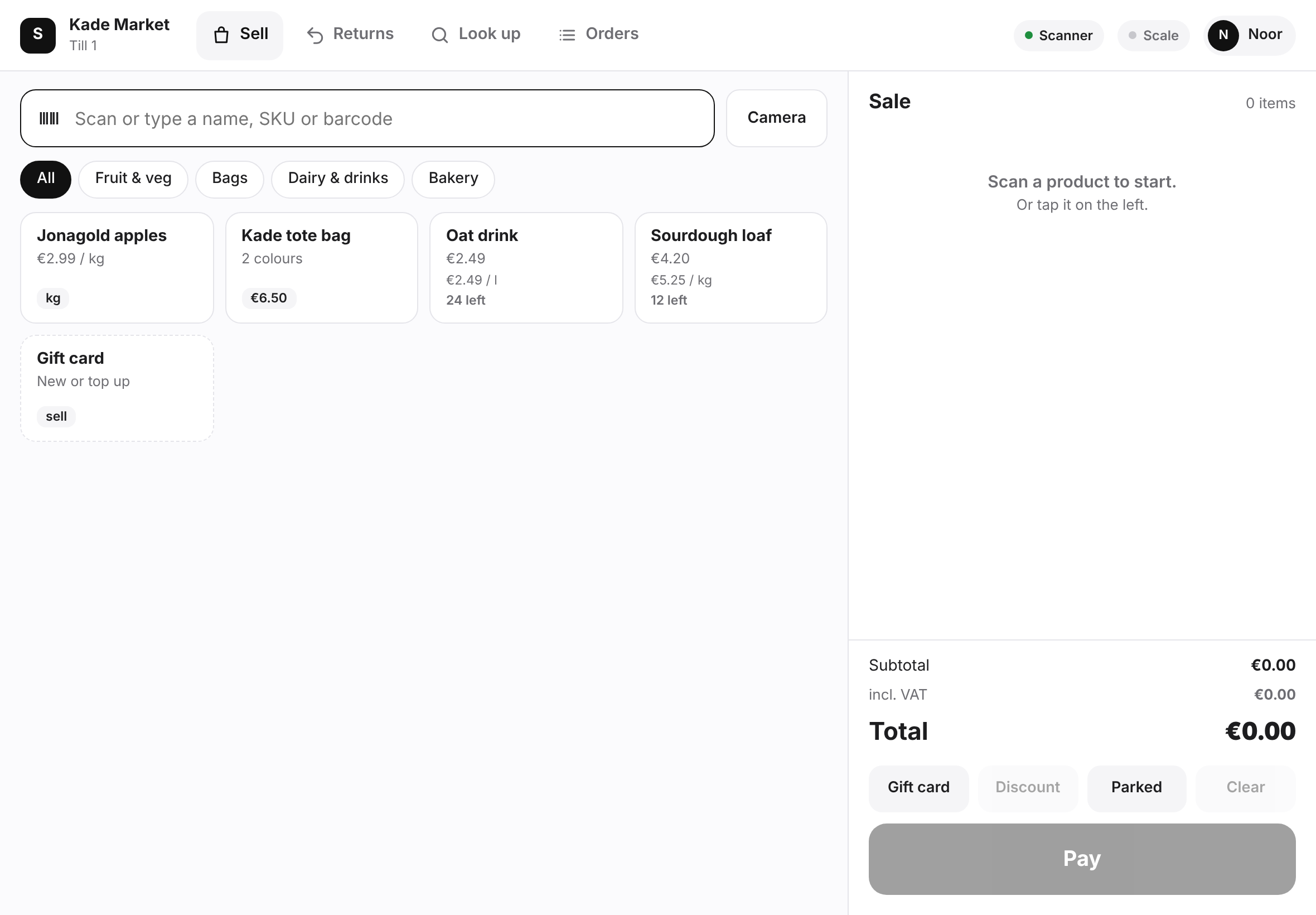
Sign in with your PIN. The till opens on Sell.
-
Scan a barcode, or type a name, SKU or barcode in the box. You can also tap a product on the left. Camera reads a barcode with the tablet’s camera.
-
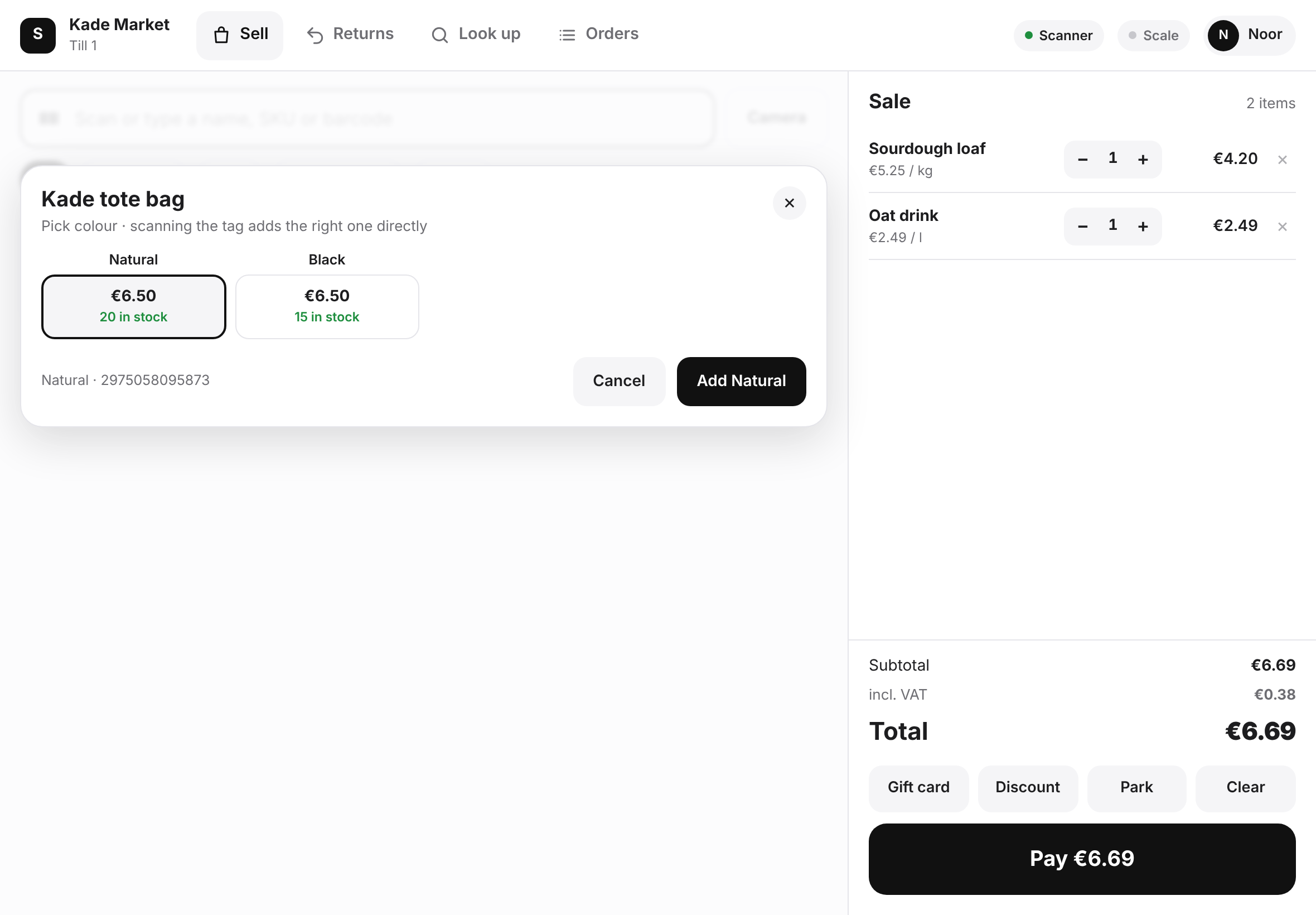
A product with sizes or colours asks which one. Tap it, then tap Add. Scanning the tag adds the right one directly.
-
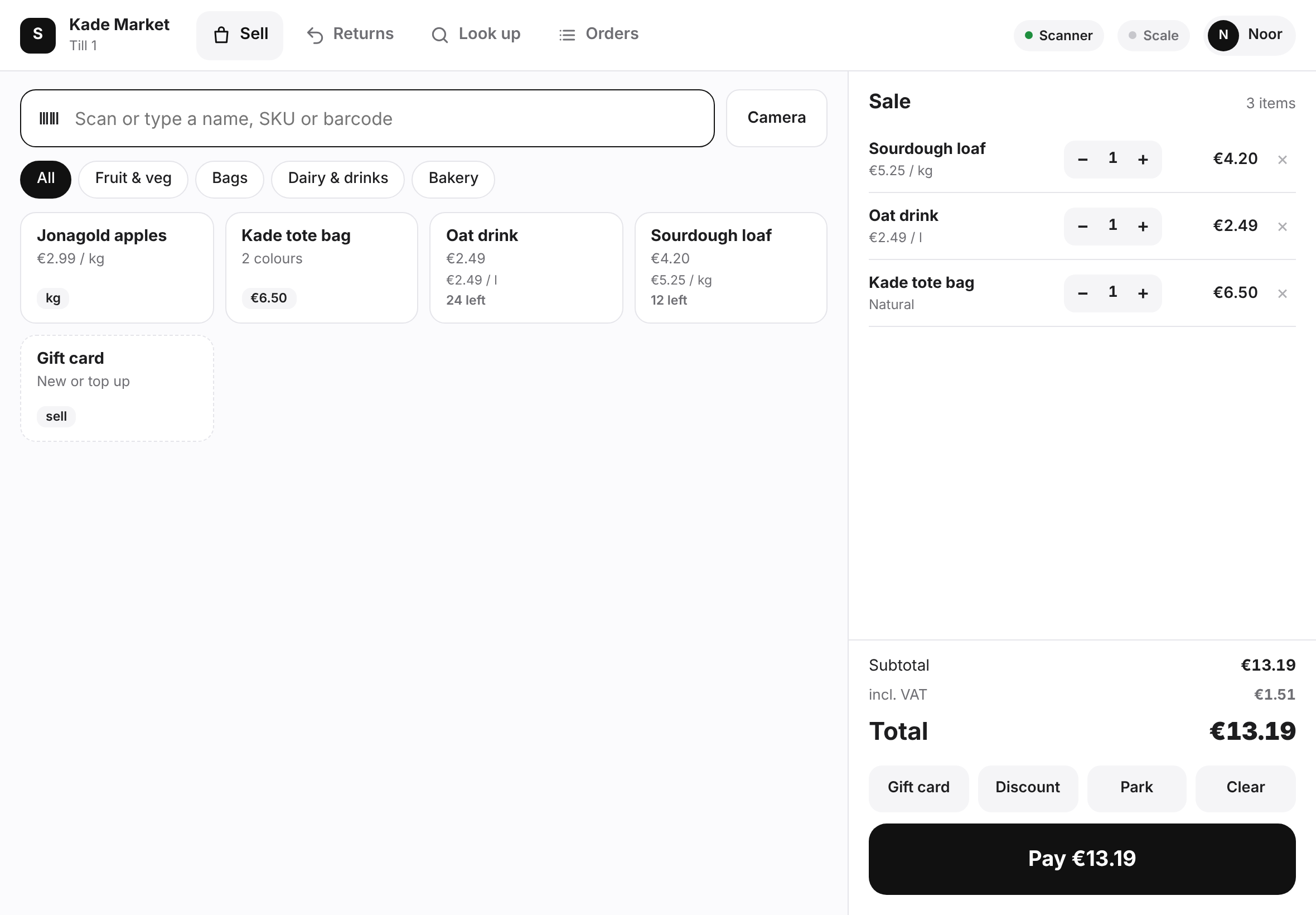
Check the sale on the right. Change the number with − and +, or remove a line with ×.
-
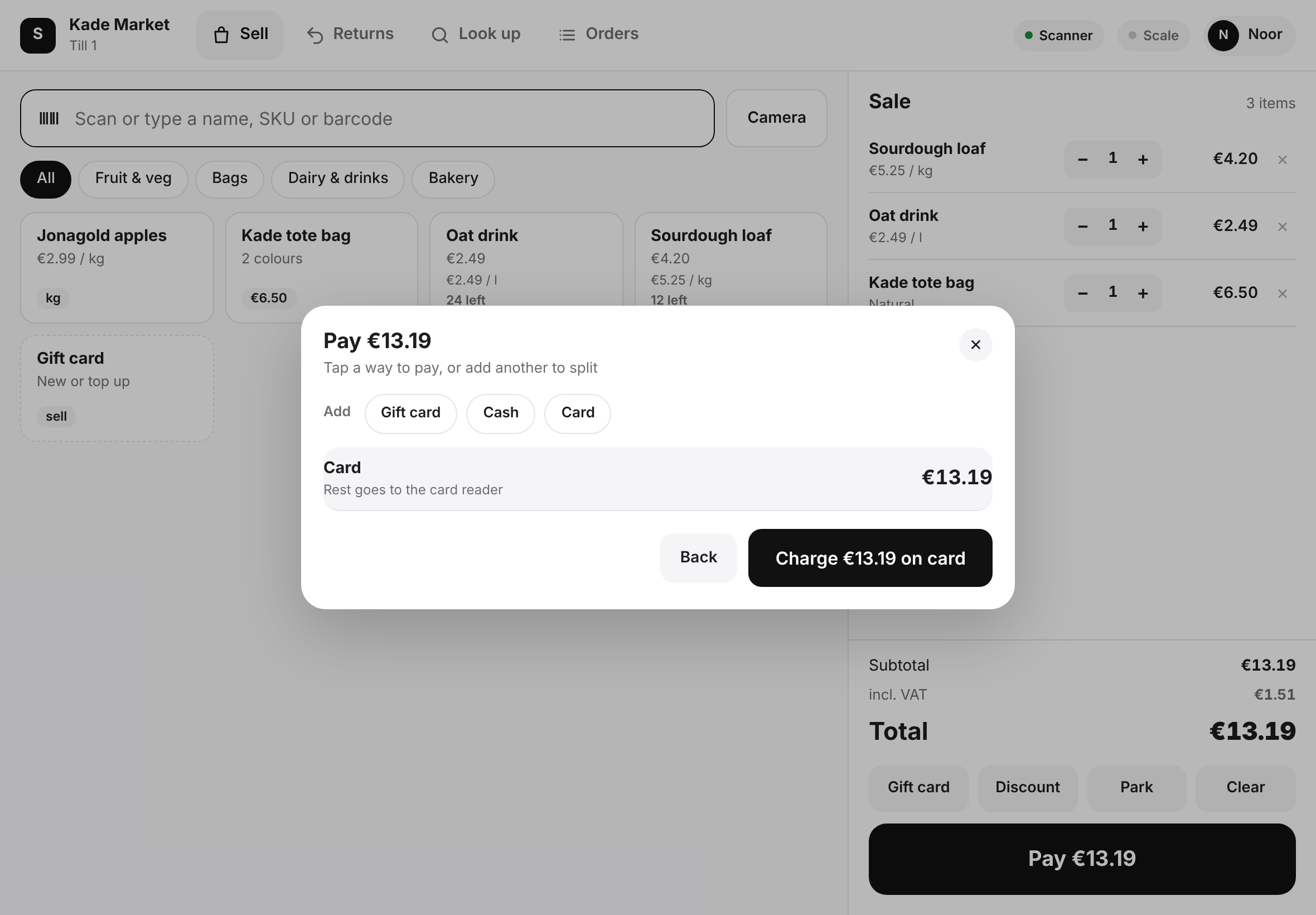
Tap Pay. Pick Card, Cash or Gift card. Add a second way to split the payment.
Other buttons
| Button | Does |
|---|---|
| Discount | Takes money off the sale |
| Park | Puts the sale aside; serve the next customer and pick it up later |
| Clear | Empties the sale |
| Returns | Takes a product back (tab at the top) |
| Look up | Finds a product, its price and its stock |